
Cloud-Based Software vs Desktop Software: Which One Is Right for Your Business?
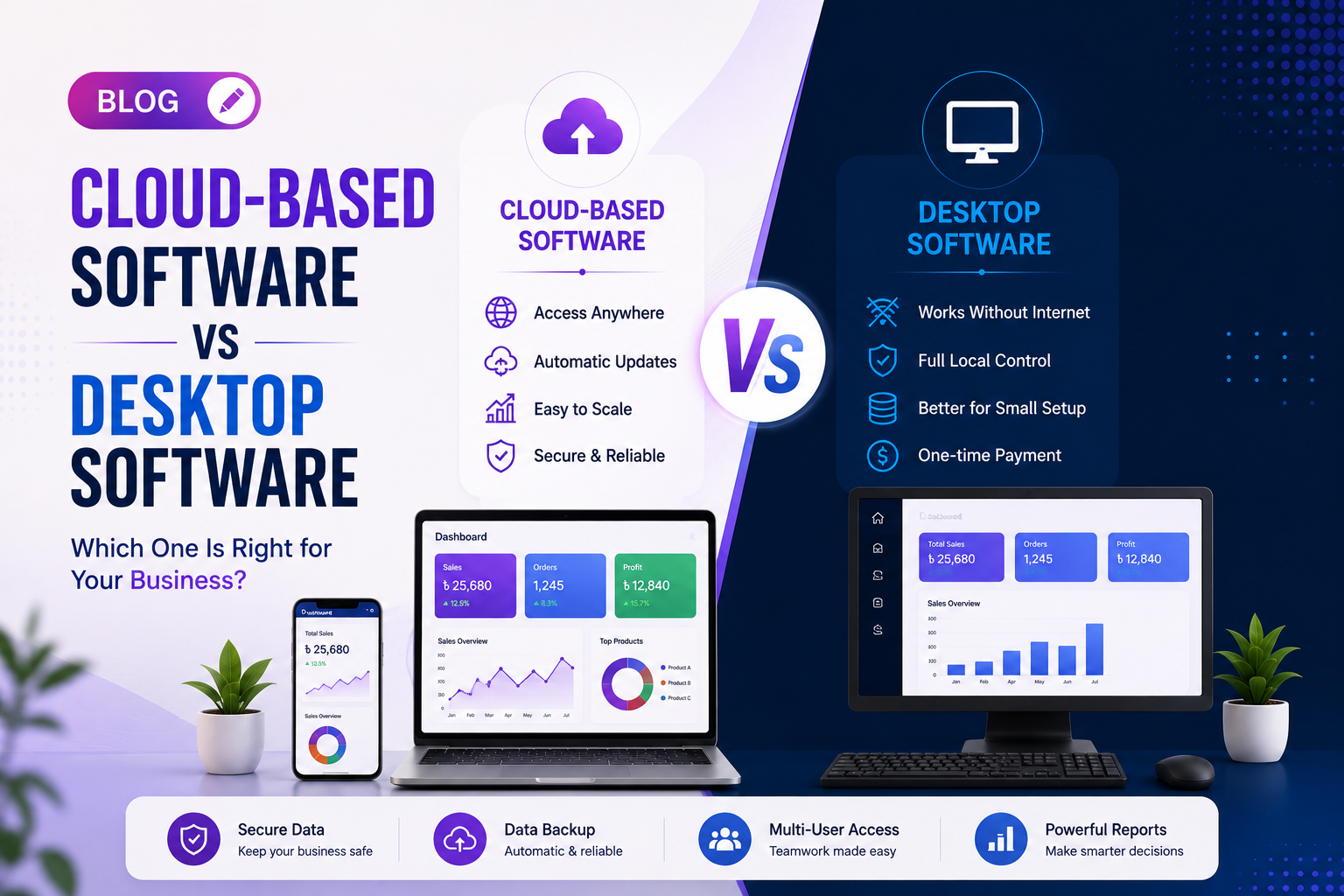
Confused between cloud-based software and desktop software? Discover the key differences, advantages, security, cost, accessibility, and performance to choose the best solution for your business in 2026.
Introduction
Businesses today rely heavily on software to manage daily operations, customer relationships, inventory, finance, and reporting. One of the biggest decisions companies face is whether to choose Cloud-Based Software or Desktop Software.
Both solutions offer valuable features, but each serves different business needs. Understanding the differences will help you make a smarter investment that supports your business growth.
In this guide, we'll compare cloud and desktop software based on accessibility, security, scalability, cost, maintenance, and overall business performance.
What Is Cloud-Based Software?
Cloud-based software runs on remote servers and is accessed through the internet. Users can log in from any device, anywhere in the world, without installing the software on every computer.
Examples include online ERP systems, CRM software, POS software, accounting systems, and project management tools.
What Is Desktop Software?
Desktop software is installed directly on a computer or local server. It usually works without an internet connection and stores data locally.
Many traditional accounting systems, inventory applications, and office management software still use this approach.
Accessibility
Cloud software provides unmatched flexibility.
Employees can access the system from:
- Office
- Home
- Mobile Device
- Laptop
- Tablet
- Different Branches
Desktop software generally limits access to the installed computer or local network.
Winner: Cloud-Based Software
Data Security
Modern cloud platforms offer:
- SSL Encryption
- Automatic Backup
- Multi-Factor Authentication
- Disaster Recovery
- User Permission Management
- Activity Logs
Desktop software depends largely on the company's own backup and security practices.
Both can be secure when properly managed, but cloud solutions simplify ongoing protection.
Cost Comparison
Desktop software often requires:
- Powerful Computers
- Local Server
- IT Maintenance
- Manual Backup
- Upgrade Costs
Cloud software reduces infrastructure expenses and often uses flexible subscription models.
For many growing businesses, cloud solutions provide better long-term value.
Automatic Updates
Cloud software updates automatically.
Businesses always receive:
- New Features
- Security Improvements
- Bug Fixes
- Performance Enhancements
Desktop software often requires manual installation and maintenance.
Business Scalability
As your business grows, cloud software grows with you.
You can easily:
- Add New Employees
- Open New Branches
- Increase Storage
- Expand Users
- Integrate New Modules
Desktop systems usually require additional hardware and configuration.
Remote Team Support
Modern businesses increasingly support remote work.
Cloud software allows teams to collaborate in real time regardless of location.
Sales teams, managers, and business owners can monitor operations from anywhere.
Internet Dependency
Cloud software requires a stable internet connection.
Desktop software can continue working offline, making it suitable for businesses operating in areas with unreliable connectivity.
This is one of the few situations where desktop software has an advantage.
Which Businesses Should Choose Cloud Software?
Cloud solutions are ideal for:
- Multi-Branch Businesses
- Retail Chains
- Corporate Companies
- Startups
- Online Businesses
- Educational Institutions
- Healthcare Organizations
- Logistics Companies
Which Businesses Should Choose Desktop Software?
Desktop software remains suitable for:
- Small Local Shops
- Single Office Operations
- Businesses with Limited Internet Access
- Organizations Requiring Offline Workflows
Why Choose Soft Forest?
Soft Forest develops both cloud-based and desktop software tailored to your business needs.
Our software development services include:
- Cloud ERP Solutions
- POS Software
- CRM Development
- Inventory Management Systems
- Pharmacy Management Software
- Accounting Software
- HR & Payroll Software
- School Management Software
- Multi-Branch Business Software
- Custom Software Development
Every solution is designed for performance, security, scalability, and ease of use.
Future of Business Software
The future of software is cloud-first.
With technologies like Artificial Intelligence, automation, and real-time analytics becoming standard, cloud-based platforms are helping businesses become more efficient and competitive.
Companies investing in modern software today are better prepared for tomorrow's digital economy.
Conclusion
Choosing between cloud-based and desktop software depends on your business size, workflow, budget, and future plans.
If you need flexibility, remote access, automatic updates, and scalability, cloud software is the ideal choice.
If your business primarily operates offline with limited users, desktop software may still be a practical solution.
Partnering with an experienced software development company like Soft Forest ensures you get the right solution for your unique business requirements.
Soft Forests Team
We write about what actually works for businesses in Bangladesh — no fluff, no jargon.
Need help with this?
Talk to our team about pos software for your business.
Keep Reading
More from the blog.
How Business Management Software Can Transform Your Company in 2026
Aug 02, 2026 · 4 min read
Why Website Speed Matters for SEO and Business Growth in 2026
Aug 01, 2026 · 4 min read
Custom Website vs Template Website: Which One Is Better for Your Business?
Aug 01, 2026 · 5 min read
Ready to grow your business the right way?
Tell us about your business — we'll put together a free digital plan within 24 hours.